 PowerupStack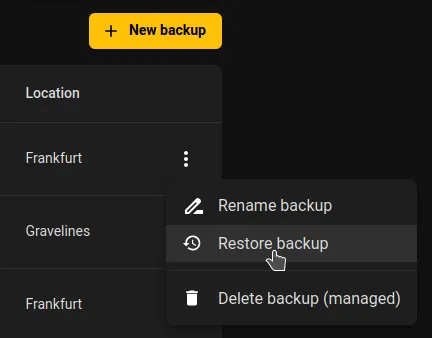
Restoring from a backup allows you to recover your instance to a previous state. Follow the steps below to complete the process.
Prerequisites
- A backup must already exist (either created manually or generated automatically).
- The instance must be stopped before you can restore a backup.
Restoring an instance backup
- Open the Backups page for your instance.
- Find the backup you want to restore. Right‑click it (or click the ⋮ menu) and select Restore backup.
- Review the warning: restoring a backup will overwrite all current data and may result in data loss. Confirm by checking the acknowledgment box.
- Click Restore backup to start the process.
- Wait until the restore operation completes. The instance will then be available in the state captured by the selected backup.