 PowerupStack
You can download all files from an instance when you want to keep a local backup or copy the files to another instance. The files are packaged into a single zip file and downloaded through your browser.
How to download all files
- Navigate to the File Management page for your instance.
- In the header, click the Download button.
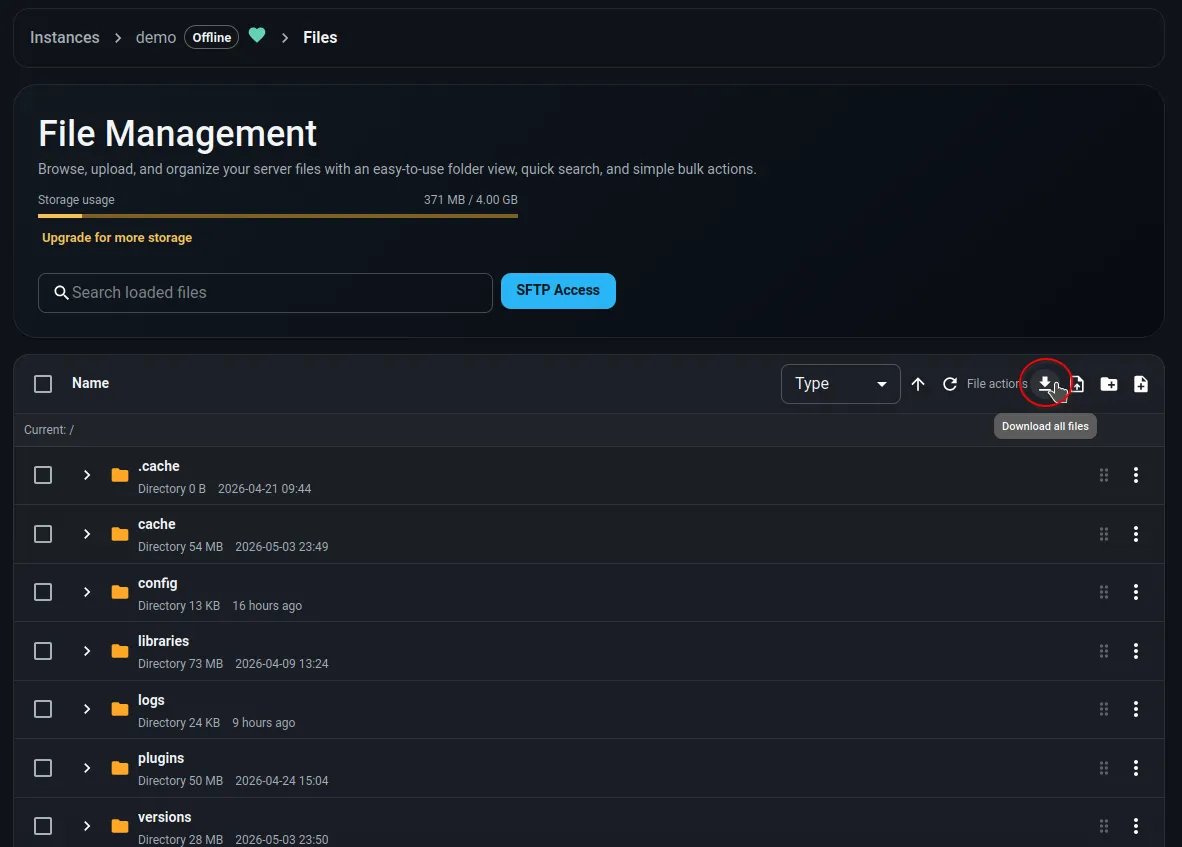
- Wait for the download to be prepared. This may take some time, depending on the size of your instance files.
- Once the download is complete, the zip file can be found in your browser downloads folder.
Why download the server files?
- Create a backup on your own device.
- Copy the instance files to a new instance, for example to test changes without affecting the original instance.